
Outage & Maintenance Banners
When something breaks, tell every customer at once. One notice on your Jira Service Management portal and in Confluence, updated live, so customers stop raising the same ticket fifty times.
Free for up to 10 users · Runs on Atlassian: no data leaves your site · Coming soon to the Atlassian Marketplace
The problem
Email goes down at 9:05. By 9:20 your queue has 40 new requests that all say "email not working". Your agents spend the outage answering duplicates instead of fixing it, and your customers still don't know what's going on.
Native tools don't help much:
- Jira Service Management announcements are static text, and Atlassian's docs say they're only available in legacy help centers.
- Confluence shows one banner at a time, and scheduling it needs Premium.
How it works
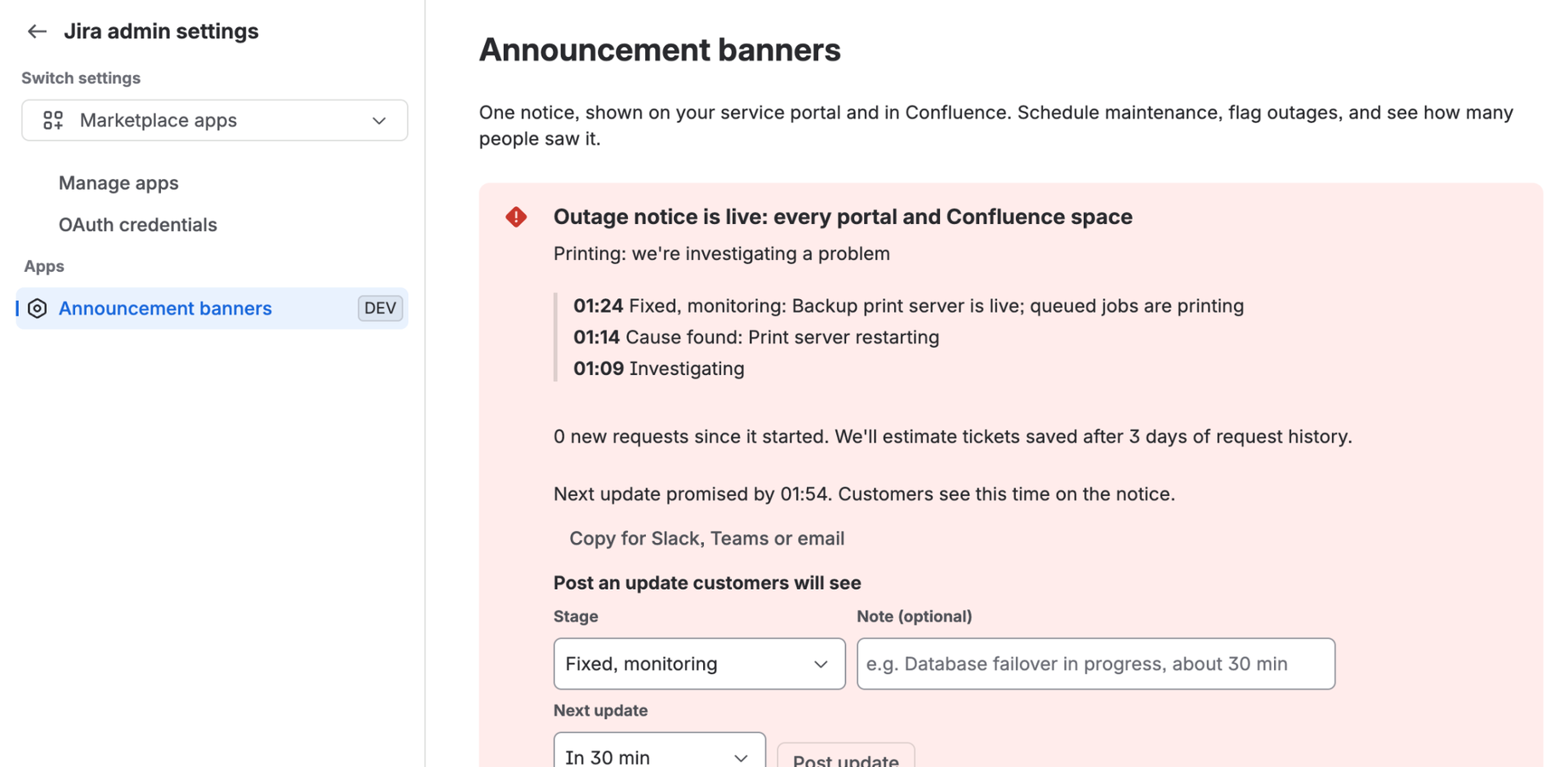
1. Post the outage in one click. Type what's affected ("Email") and post. The notice appears on every portal page and every Confluence space, in each viewer's own time zone.
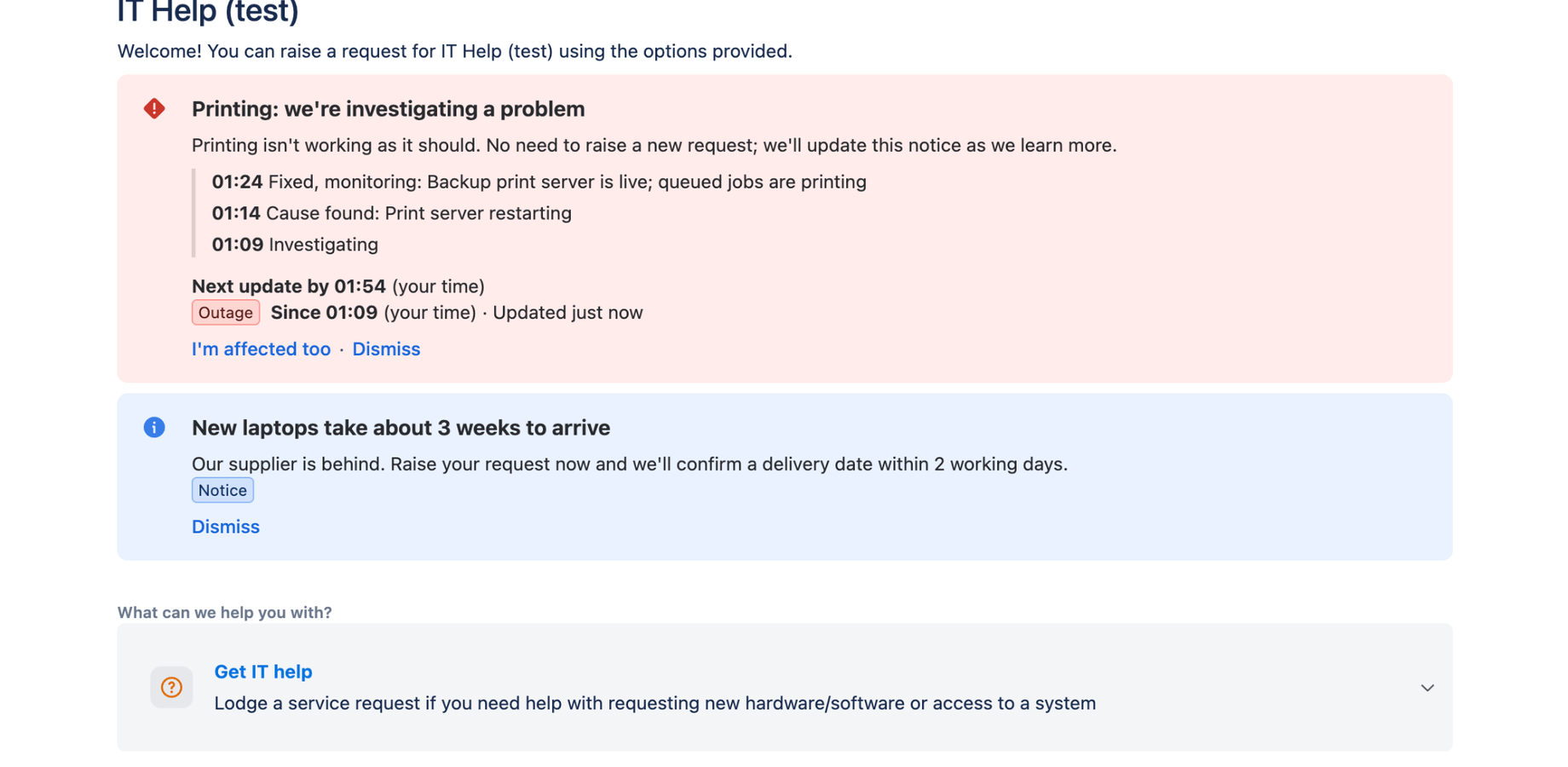
2. Customers report in one click instead of raising tickets. They see a live timeline and when your next update is due, and click I'm affected too. You see how many people are affected.
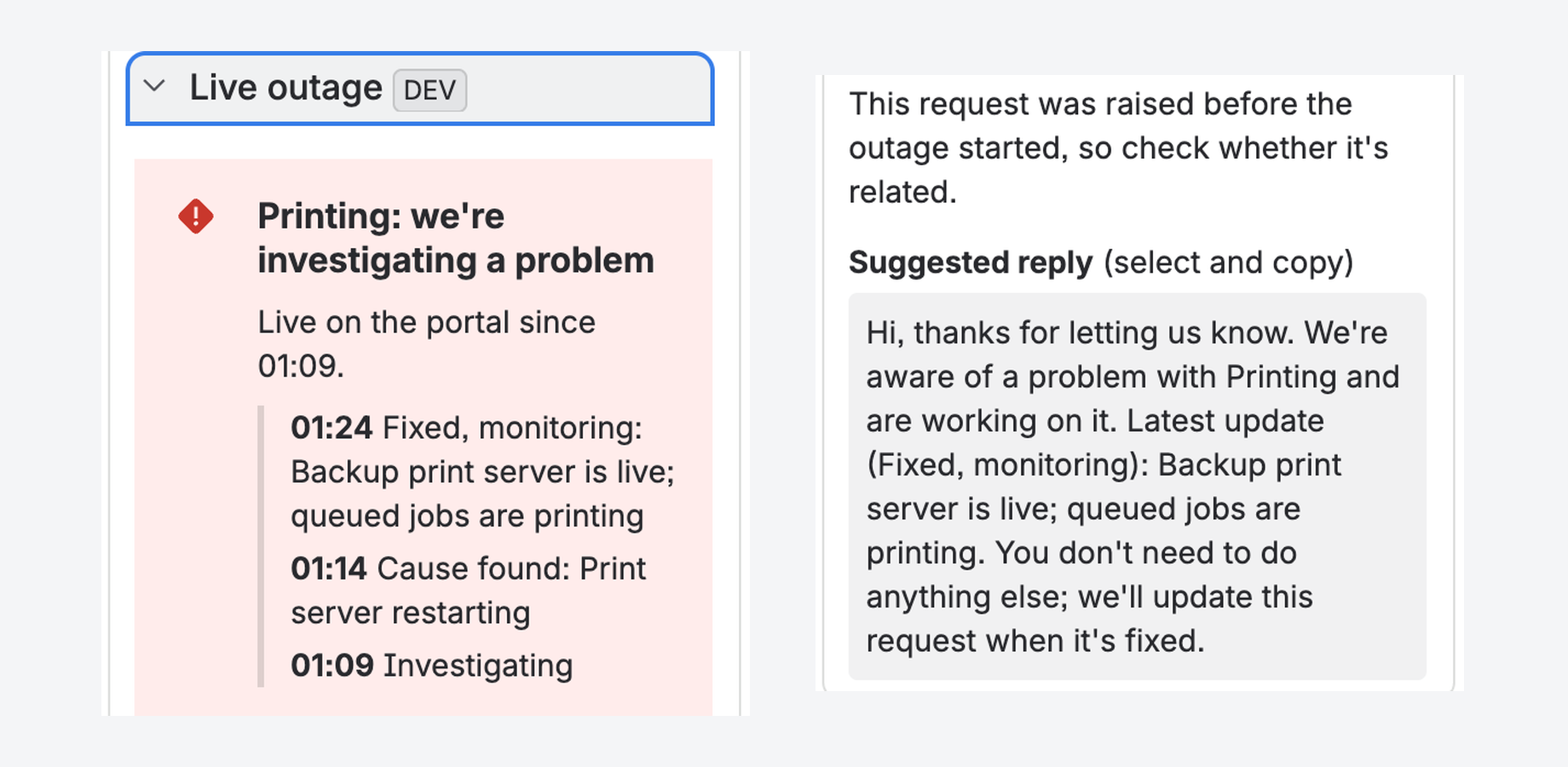
3. Agents answer duplicates in seconds. Every request raised during the outage shows a Live outage panel with the main incident and a ready-to-send reply.
4. Close the loop. Mark it resolved: customers see a green "working again" notice for two hours, and you can reply to everyone who raised a request during the outage in one step.
Also for planned work
- A different notice per portal, page or request form. One portal can show "VPN maintenance tonight" while another shows holiday hours. Native JSM can't do this.
- Schedule maintenance and holiday hours, with a heads-up days before and a countdown.
- A progress bar while maintenance runs, +30 min if it runs over, and a "complete" note afterwards.
- Notices on specific request forms ("New laptops take about 3 weeks"), shown under any page-wide notice.
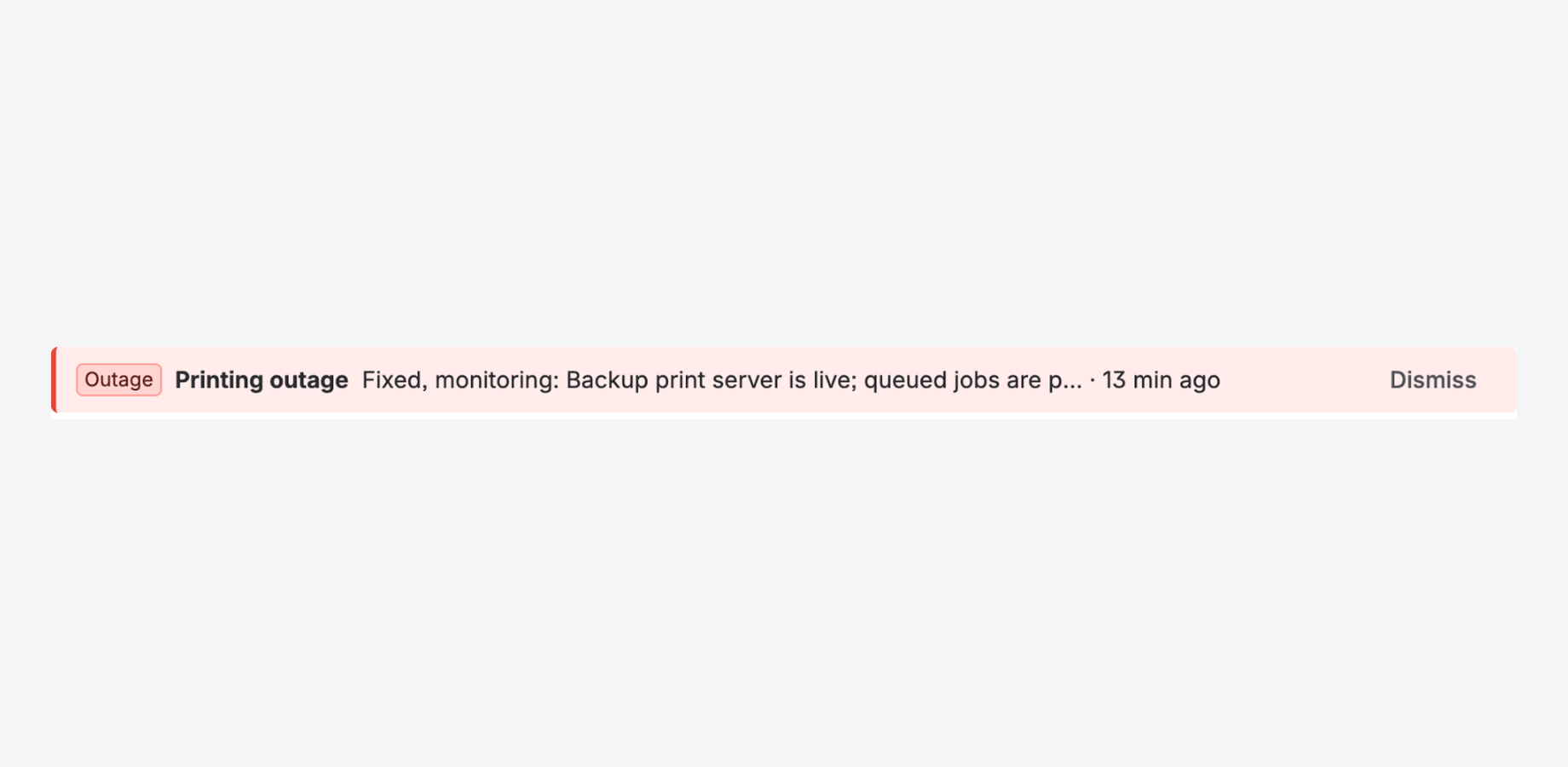
- Confluence gets a one-line strip at the top of every page, on any plan, and you can show different notices in different spaces.
Compared with what you have today
| This app | Native JSM announcement | Native Confluence banner | |
|---|---|---|---|
| Works on the portal and Confluence | ✅ One app, one bill | Portal only | Confluence only |
| A different notice per portal / space | ✅ | – | – (site-wide only) |
| Scheduling | ✅ Any plan | – | Premium only |
| Each viewer's own time zone and countdown | ✅ | – | – |
| Outage mode with live updates | ✅ | – | – |
| "I'm affected too" instead of a ticket | ✅ | – | – |
| Agent panel with a ready reply | ✅ | – | – |
| Views, clicks and tickets avoided | ✅ | – | – |
Pricing
Paid through your Atlassian bill, per Jira user per month: free for up to 10 users, then $0.60 (11–100 users), $0.40 (101–250), $0.20 (251–1,000) and $0.08 (1,001+). Portal customers never count as users.
Questions
Does it work on the new help center? It shows on portal pages: portal home, Raise a request, View a request, My requests and the profile page. You choose which.
Coming from ServiceNow? You get the same kind of portal outage notice there: a live banner on the portal, a timeline of updates, and a one-click "I'm affected too" instead of a new ticket.
Does any data leave my site? No. It runs on Atlassian Forge, stores everything in your site's Forge storage, and sends no messages or analytics. It qualifies for Atlassian's Runs on Atlassian program.
Who can post notices? Jira admins, plus any Jira groups they allow (for example your service desk agents). Confluence admins can post Confluence-only notices.
We use a Connect banner app that stops working on 31 January 2027. Setting this up takes about five minutes: install, open Jira settings → Apps → Announcement banners, and post your first notice.